Chromaspec
Color scales for design systems, matched by perceived lightness
#design-system
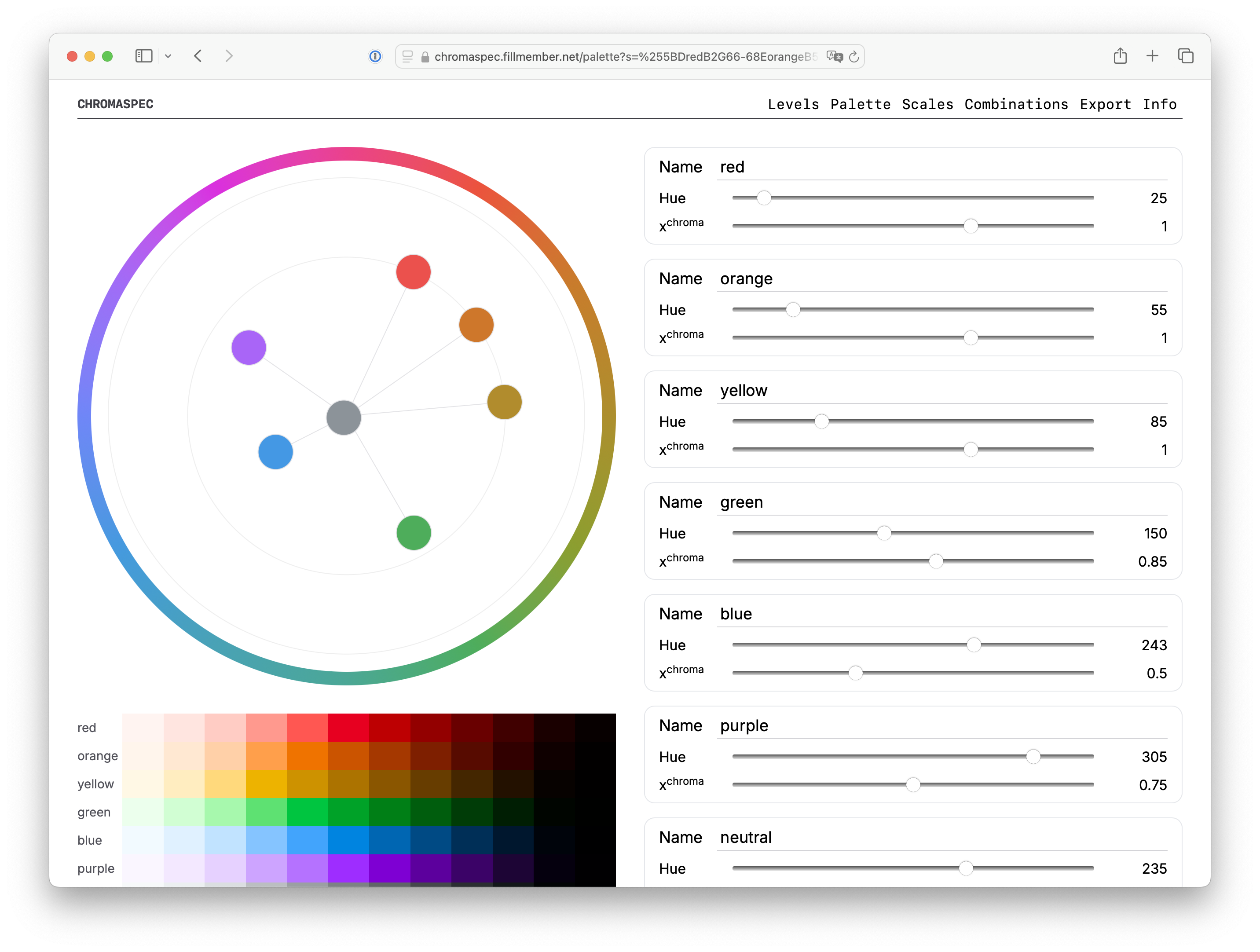
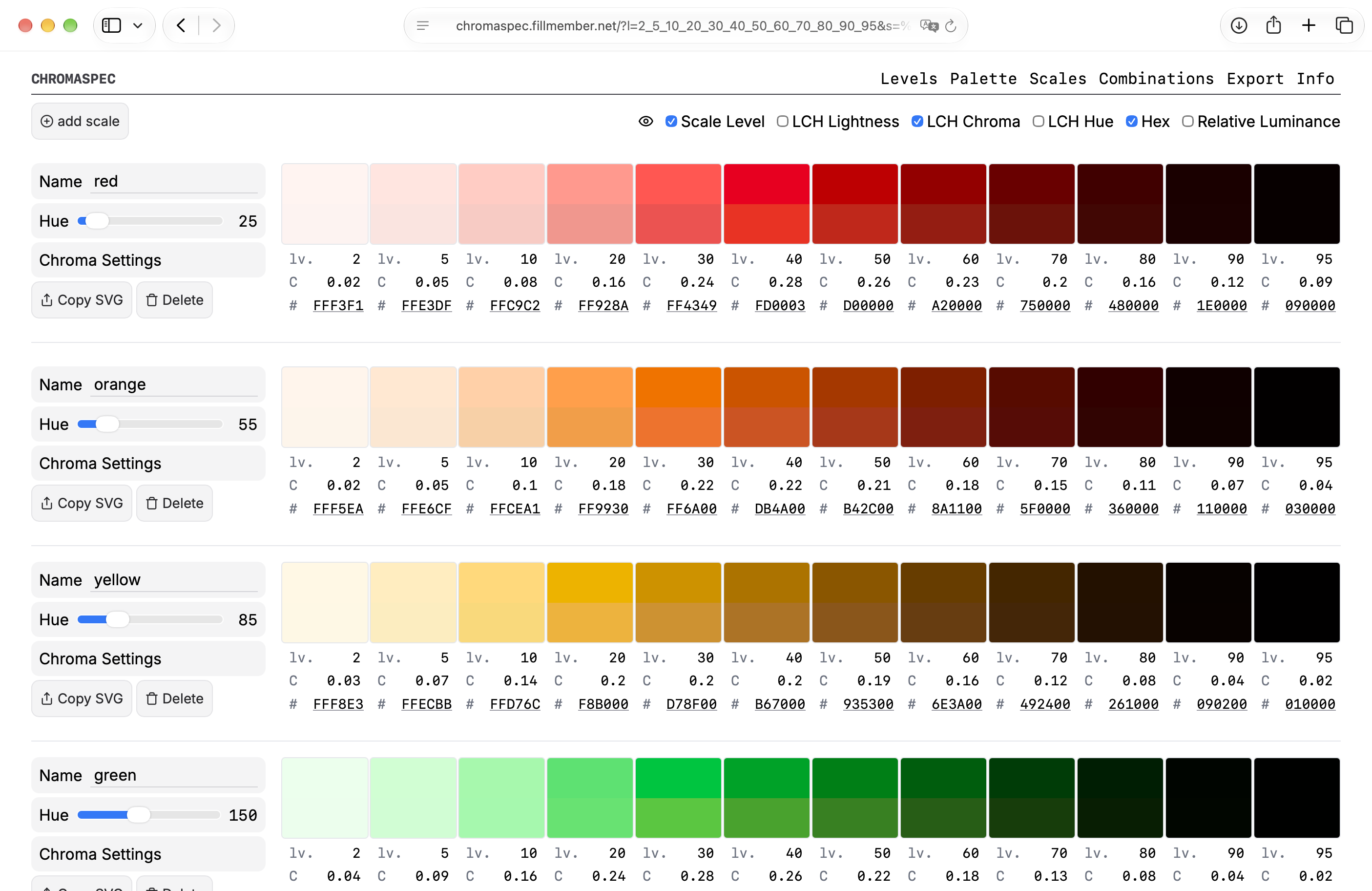
Chromaspec is a palette editor for design systems. It creates color scales whose steps share the same perceived brightness, so blue-70 and yellow-70 carry the same visual weight.
Try it at chromaspec.fillmember.net
Problem
When creating a design system, the first step is a good set of base tokens. But creating color scales feels arbitrary, so we often fall back on existing scales from popular frameworks like TailwindCSS or Material Design.
Existing palette generators like UI Colors or Palettte give you control over every parameter a gradient can have: the start and end values of hue, saturation and brightness.
That much control is less useful for a design system, where scales need to be comparable. If a button uses certain steps of yellow (say yellow-70 on yellow-10), the same steps of blue should produce a button with roughly the same effect on the eye.
Both pairs use levels 70 and 10. Because the level sets the lightness, they have the same weight and contrast, whatever the hue.
How it works
Chromaspec makes a few decisions for you. That's what makes it opinionated.
- The level is the lightness. Each step is a level from 0 to 100, and its lightness is
100 − level. Level 70 has a lightness of 30% in every scale. You can't nudge one blue step lighter, and that's the point: the same level always looks equally bright. - OKLCH, not HSL. In OKLCH, colors with the same lightness look about equally bright. In HSL, a yellow and a blue at 50% lightness look nothing alike.
- One hue per scale. A scale doesn't drift in hue from light to dark. You pick a hue and the levels do the rest.
- Chroma is a curve, not a value per step. Each scale has a chroma curve with a peak and a multiplier. Chroma rises toward the peak and fades toward white and black.
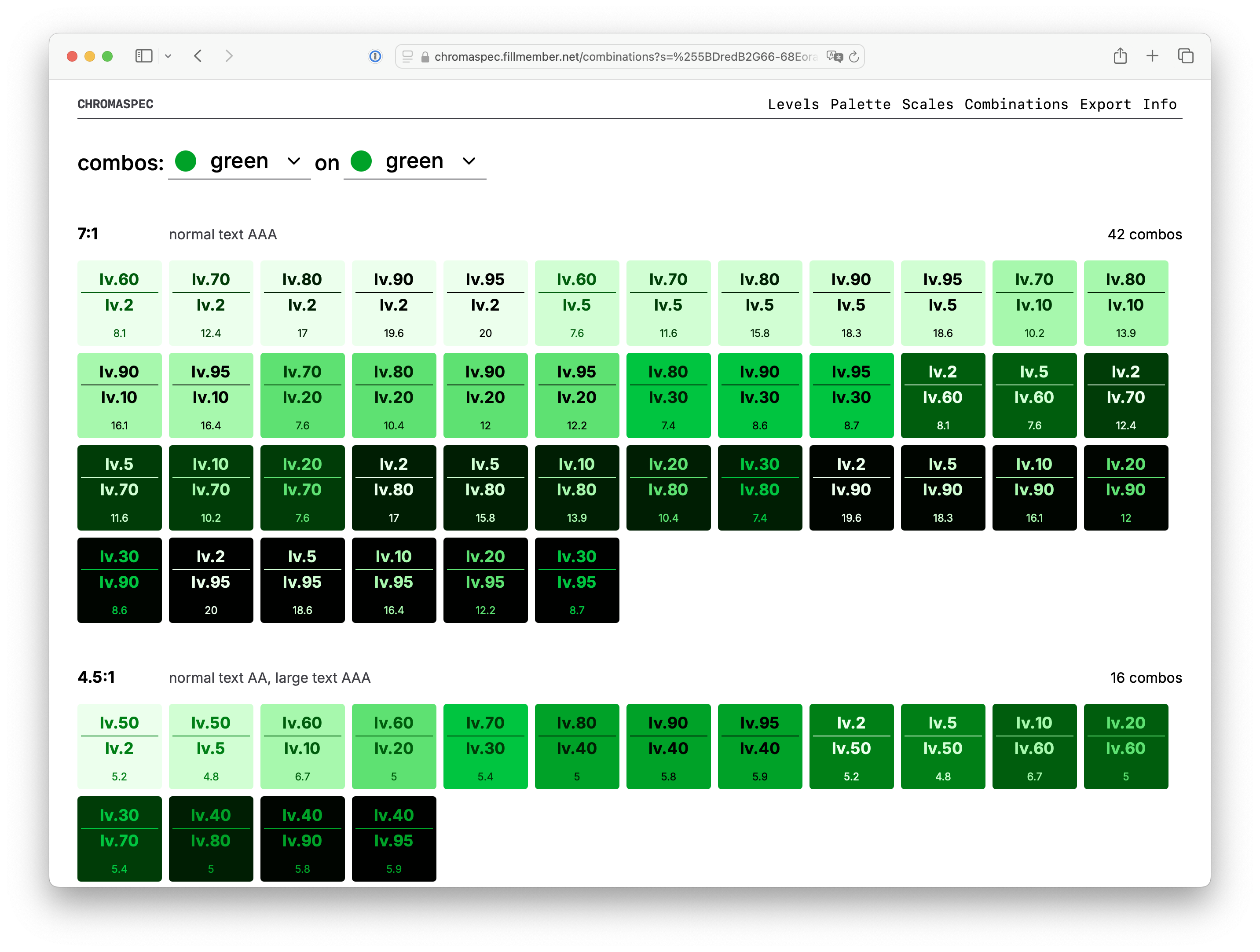
Because every scale has the same lightness at each level, contrast becomes predictable too. The Combinations view takes two scales and lists every pair of levels that passes WCAG contrast. The more pairs pass, the easier the color system is to design with.
Fitting a brand color
A fixed lightness grid raises an obvious question: what about the brand color? Convert it to OKLCH, give a scale the same hue, and add a level that matches its lightness (a lightness of 0.45 is level 55). Then tune the chroma curve until the scale passes through the brand color, or close to it. The Info page walks through it step by step.
Trade-offs
Locking lightness has a cost. Some hues lose their character at the dark end of the scale: a dark yellow is just brown. I'd rather accept that than have a palette where every scale behaves differently.
Where it's used
The colors on this website come from Chromaspec. The blue and yellow pairs above use this site's own levels 70 and 10. The code is on GitHub.